Inkwell Line Gradient Icon: A Modern Twist on a Classic Tool
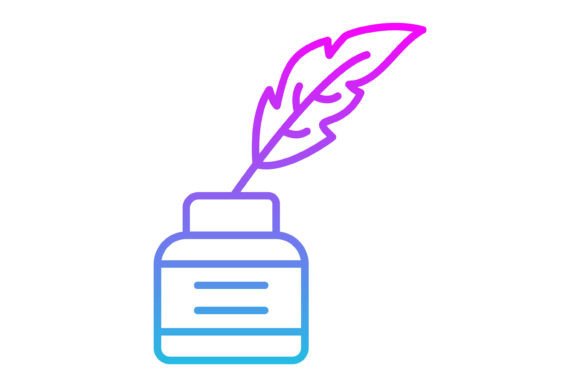
There’s something deeply satisfying about an icon that feels both familiar and fresh. The Inkwell Line Gradient Icon captures that balance perfectly. It takes the timeless shape of an inkwell—a symbol of writing, creativity, and ideas—and gives it a contemporary, clean-line treatment with a subtle gradient effect. This isn’t just another flat icon; it has personality. The line work is crisp and intentional, while the gradient adds a touch of depth and modernity without overwhelming the simplicity of the form. It feels professional yet approachable, making it versatile for a wide range of projects.
Where This Icon Truly Shines
Think about the contexts where a symbol of writing or creation needs to feel current and polished. The Inkwell Line Gradient Icon is a fantastic fit for web design and mobile app interfaces, especially for blogs, content management systems, or note-taking applications. Its clean lines ensure it scales beautifully from a tiny favicon to a larger header graphic. For brand identity work, particularly for publishers, writing coaches, or stationery brands, this icon can serve as a core visual element. It communicates tradition with a modern sensibility, which is a powerful combination in logo design and packaging design. You could see it on a luxury pen box or as part of a blogger’s social media kit.
Beyond digital, its utility extends into print and presentation materials. Imagine it as a section divider in a premium font specimen sheet or as an illustrative element in a corporate slide deck about content strategy. The included file formats—AI, EPS, JPG, PNG with a transparent background, and SVG—mean you’re covered for virtually any production need. The SVG format is particularly valuable for web design, ensuring the icon remains sharp on any screen resolution, while the vector AI and EPS files give you complete control for editing in Illustrator or other design software.
Integrating the Icon into Your Design Workflow
When you’re evaluating a design asset like this, it’s not just about how it looks in isolation. Consider how it interacts with your chosen typefaces. Pairing it with a clean sans serif font like Helvetica or Inter will amplify its modern, minimalist vibe. For a more editorial or sophisticated project, try it alongside a refined serif font such as Garamond or Playfair Display. The gradient in the icon can sometimes pick up on subtle color accents in your typography, creating a cohesive look. Always test your font pairing with the icon in context—place it next to your headline, your body copy, and your call-to-action to see how the visual hierarchy holds up.
The fact that it’s a 100% vector icon means you can scale it to any size without losing quality, a non-negotiable for professional work. You can easily edit the colors to match your brand palette in a vector program. This flexibility is key for maintaining consistency across all your touchpoints, from a business card to a billboard. For social media graphics, the transparent PNG version is a lifesaver, allowing you to place it over any background or image seamlessly. It’s a small asset that can significantly elevate the perceived professionalism of your content, whether you’re a small business owner creating your own marketing materials or a designer assembling a client’s brand kit.
Practical Considerations for Your Project
Before you dive in, take a moment to assess the project’s needs. The Inkwell Line Gradient Icon excels in contexts that value clarity and a touch of elegance. If your brand voice is ultra-playful or heavily illustrative, you might need to see if its refined line style matches your existing visual language. For commercial use, always double-check the license included in the zip file to ensure it covers your intended application, especially for products for sale. The best way to evaluate fit is to download the assets and test them directly in your mockups. Place the icon next to your primary typeface, your color swatches, and other key design assets. Does it feel like it belongs? Does it support the message you’re trying to convey?
This icon is more than just a pretty picture; it’s a functional piece of modern typography in icon form. It’s designed for maximum usability, meaning it’s built to be understood at a glance and to work harmoniously within a larger design system. Whether you’re crafting a presentation, building a website, or designing a template, having a versatile and well-crafted icon like this in your toolkit saves time and adds a layer of polish. It’s a practical investment for anyone serious about their visual communication, from marketers and bloggers to entrepreneurs and crafters. Give it a try in your next project and see how that classic-meets-contemporary feel can work for you.